Nearly everyone who reads papers has faced the same decision: whether to run the whole thing through a translator.
Most people decide not to. A translation replaces the terminology, and when it gets something wrong you won't notice.
The price is the words you don't know. Stopping to look one up interrupts your reading; skipping it means you understand less of the paper.
What Hover Translate does is push the cost of one lookup down to almost nothing.
Why not translate the whole paper
Once a term is translated, you can't recognise it any more. You don't read a paper only to understand it in the moment. The methods, metrics and datasets in it turn up later in your search queries, in your own writing, in conversations with colleagues — always under their English names. Some terms have no settled translation to begin with: token appears in Chinese as 词元, 标记 or 令牌 depending on who did the translating. Others get mangled by a literal rendering — Transformer turns into 变换器, DiT Block into 扩散变换器块. None of it hurts while you read. It hurts when you go to search for the work, write about it or discuss it, and find that the version you remember is the translated one.
Worse, machine translation fails quietly. A mistranslation in technical prose raises no error; it simply reads well. The significant in We find no significant difference is statistical significance — render it as "no important difference" and the grammar is impeccable while half the paper's conclusion has been rewritten. Without the original beside you, there is no way to catch this. Your only signal is a vague sense that a passage reads oddly, and that signal often never arrives.
What stops you isn't only the vocabulary, it's the missing context
The words that stop you are mostly ones no dictionary will have.
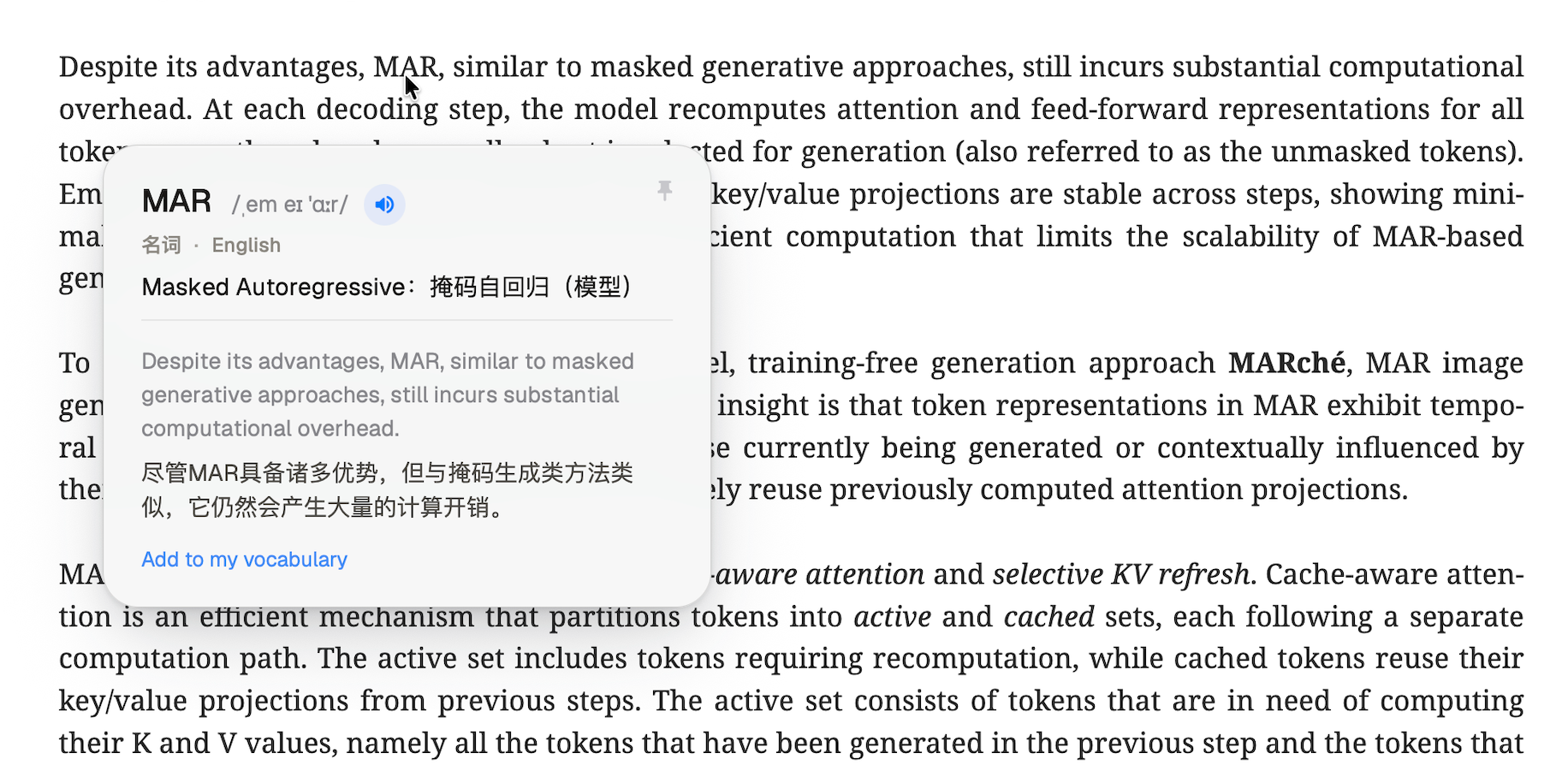
The MAR in that screenshot is in no dictionary. It stands for Masked Autoregressive, from a 2024 paper on image generation; the paper in the screenshot is follow-up work citing it, so it uses MAR directly and never spells it out again.
But even if some tool told you that MAR = Masked Autoregressive, you still would not know what the sentence says. What expanding it gives you is another piece of English jargon.
A lookup that actually helps has three layers:
- Expand — MAR stands for Masked Autoregressive;
- Explain — it refers to a masked autoregressive model;
- Land it back in the sentence — this one says that for all its advantages, MAR, like masked generative approaches, still costs a great deal of computation.
A dictionary manages the first layer at best. In the screenshot above, all three arrive at once.
Those same three letters mean Missing At Random in a paper about incomplete data — a category from Rubin's taxonomy of missingness, alongside MCAR and MNAR. The two readings are not far apart; both sit inside data science.
What settles it is the words around it. In the sentence in the screenshot the neighbours are masked generative approaches, decoding step and attention, so it is Masked Autoregressive. Had they been imputation, missingness and observed data, the same three letters would be Missing At Random.
One survey of the biomedical literature analysed more than 24 million paper titles and 18 million abstracts. Acronym density in abstracts rose from 0.4 per hundred words in 1956 to 4.1 in 2019, and 73% of abstracts contain at least one. Of the 1.1 million distinct acronyms it identified, 79% appear fewer than ten times in the entire literature, and only 0.2% are used regularly. Another study it cites found that UA alone carries 18 different meanings in medical writing. (Barnett & Doubleday, eLife 2020) Most acronyms, in other words, have no stable entry to look up at all. MAR is an unremarkable example.
And it is not only acronyms that stop you. Ablation in a dictionary is the surgical or geological kind; in a machine learning paper it is the experiment where you remove a component to find out whether it was doing anything. Robust does not mean sturdy. Positive, in an experimental context, means the test detected something, not that the news is good. You know every one of these words — and precisely because you know them, it is easy to read past with the everyday sense and notice only much later that something does not add up.
Hover Translate never receives a word on its own. It gets the word together with the sentence and the passage around it, and the meaning it returns is always the one that holds in that position. What you need while reading a paper was never "what can this word mean" — it is "what does it mean here".
A good deal of the text in a paper can't be selected
An abbreviation in a legend, a unit on an axis, a module name inside a box in a diagram — all of it is part of an image. You cannot select it and you cannot copy it. And figures are where many readers look first: the adaLN in the chart below appears only in the legend, and is never spelled out anywhere in the body text.
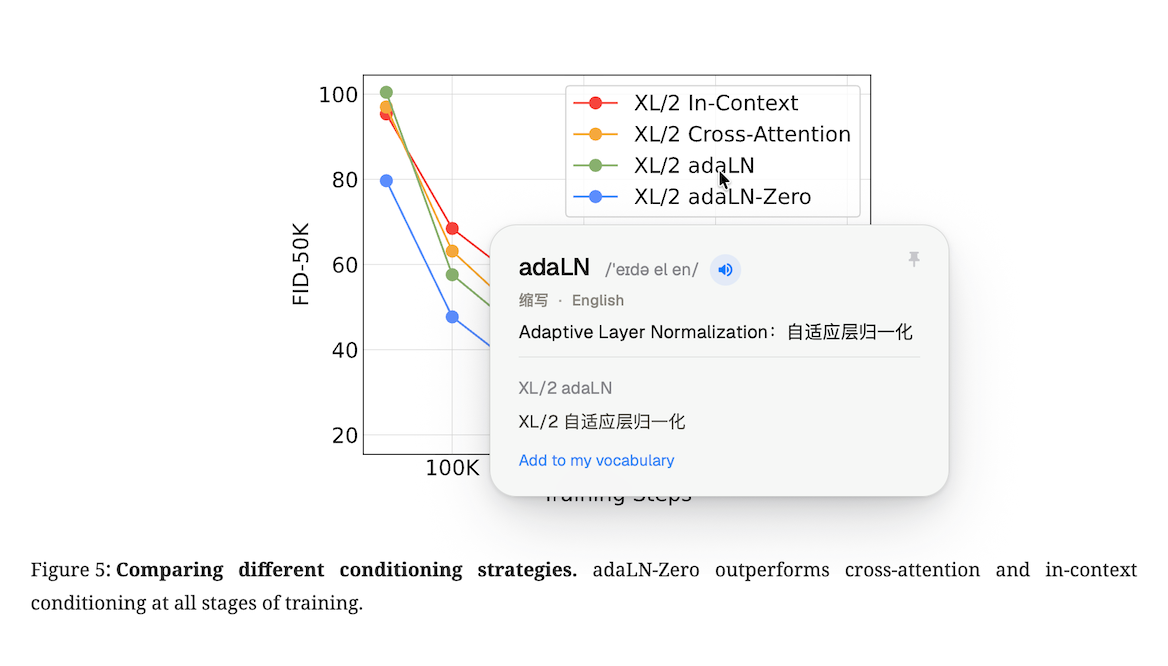
Scans and photocopies are more absolute still: the PDF has no text layer at all, so selecting was never an option to begin with. Even where there is a text layer it is often unclean — words containing fi or fl ligatures come out of an academic PDF with characters missing, and dragging across a line in a two-column layout tends to bring the neighbouring column along with it.
So hovering rather than selecting is not about saving a step here — select-then-look-up simply does not work in these places, and they happen to cover the most information-dense parts of a paper.
Dozens of lookups in a single paper is normal, so the panel appears right beside the word, never takes focus, and goes away when you are done; your PDF reader stays the active window throughout. Tap Pin to keep it up for side-by-side reading — Esc then won't close it by accident, and passes through to the reader as usual.
Needing it less often is the point
A word you had to look up in a paper is a word sitting right at the edge of what you know — exactly the batch worth remembering. Tap "Add to my vocabulary" in the panel and the word is saved together with the sentence you met it in. Review gives you the word on its own first, so you recall it yourself, then reveals the meaning and the original sentence; you answer "Got it" or "Still fuzzy", and that answer decides when it comes back.
That is what SRS — spaced repetition — is doing. One lookup does leave part of a word behind, but that part decays; what makes a word stay is meeting it again a few times, spaced out, and preferably still attached to the sentence you first read it in.
So can you stop looking things up altogether? For general academic vocabulary, yes: the methodological, statistical and argumentative words are finite, and after a few rounds of looking them up and reviewing them you genuinely do not need to any more. For acronyms and domain terms, no — but those were never meant to be memorised. The field mints new ones every year, most of them appearing only a handful of times anywhere, and understanding them once is enough. The number of times you need it will fall, and what remains gets spent on things that are genuinely new.
If the day comes when you barely need it to read a paper, we don't count that as a failure. Rather than have you unable to leave, we would rather have something else: that you can read material in another language freely, without needing anyone to translate it for you.
Until then, it will still save you a good many pauses. If you read papers and technical reports too, and you want looking up a word to go from "stop and deal with it" to "glance and keep going", give Hover Translate a try. Signing up gets you 100 free translations every 30 days; spend them on the paper already open in front of you.